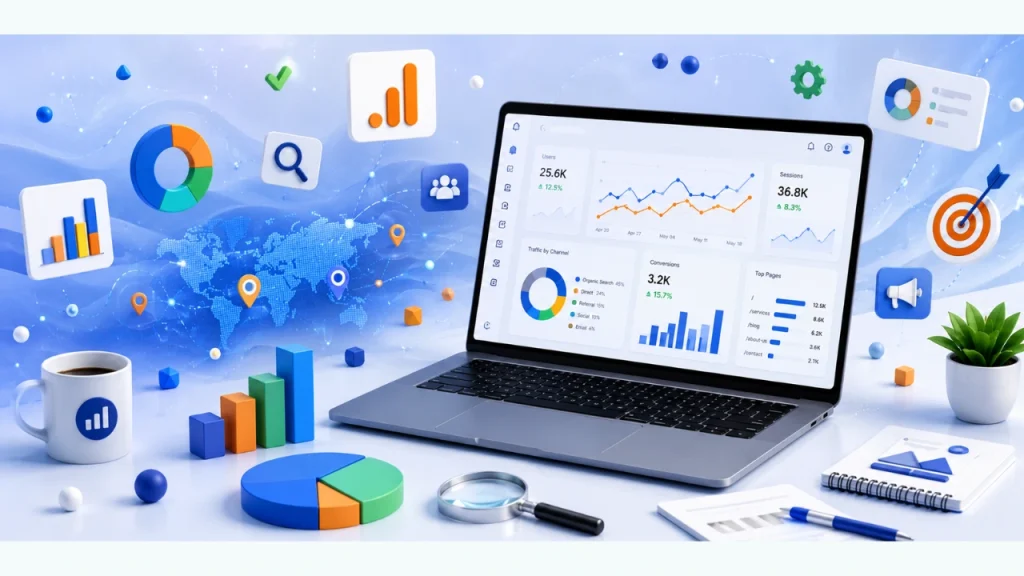

Are you wondering how Google Analytics 4 (GA4) helps you understand your website visitors and improve online performance? This guide explains how to use Google Analytics to collect valuable website data, measure user behavior, identify growth opportunities, improve SEO performance, increase conversions, and make better marketing decisions based on real insights.
Google Analytics has become one of the most important tools for businesses that want to understand how users interact with their websites. From tracking traffic sources and user engagement to measuring conversions and campaign performance, Google Analytics 4 provides detailed reports that help businesses optimize every stage of the customer journey. When combined with professional SEO Services from iBirds Digital, GA4 data becomes a powerful resource for improving search visibility, increasing qualified traffic, and achieving measurable business growth.
What is Google Analytics?
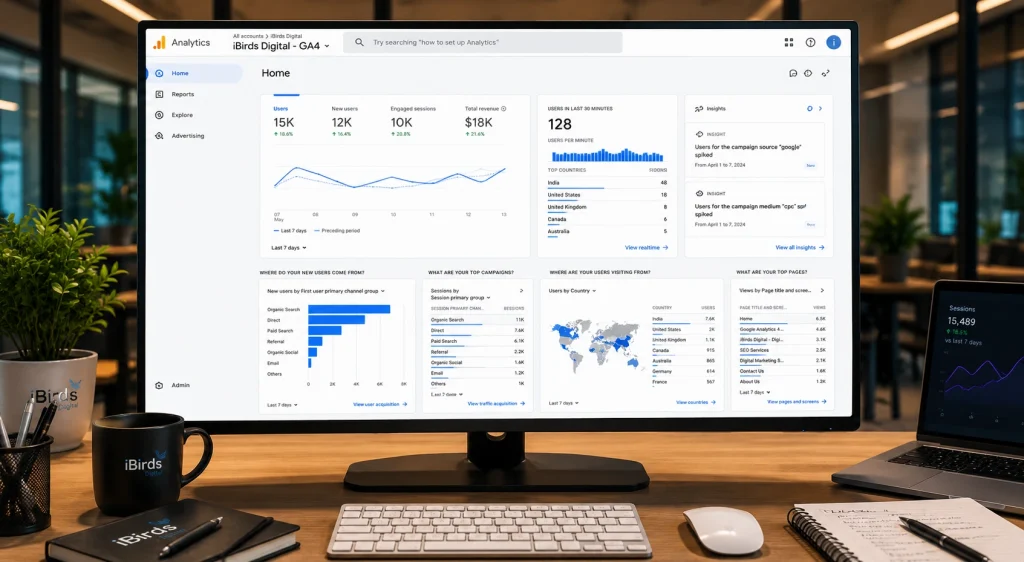
Google Analytics 4 (GA4) is Google’s free website analytics platform that helps businesses measure website traffic, user behavior, conversions, and marketing performance. It collects valuable data about how visitors find your website, which pages they view, how long they stay, what actions they complete, and where they leave. These insights help businesses evaluate the effectiveness of their digital marketing campaigns, improve website performance, and make informed decisions that support long-term business growth.
Unlike earlier versions, Google Analytics 4 uses an event-based data model, allowing businesses to track user interactions across websites and mobile apps more accurately. It provides detailed reports on audience demographics, traffic sources, engagement, conversions, customer journeys, and campaign performance. With these insights, businesses can identify high-performing marketing channels, improve user experience, strengthen SEO strategies, optimize conversion rates, and allocate marketing budgets more effectively. When integrated with professional Free Website Audit Services, Google Analytics data helps identify technical issues, user experience gaps, and optimization opportunities that contribute to better search rankings and higher ROI.
How to Set Up Google Analytics 4
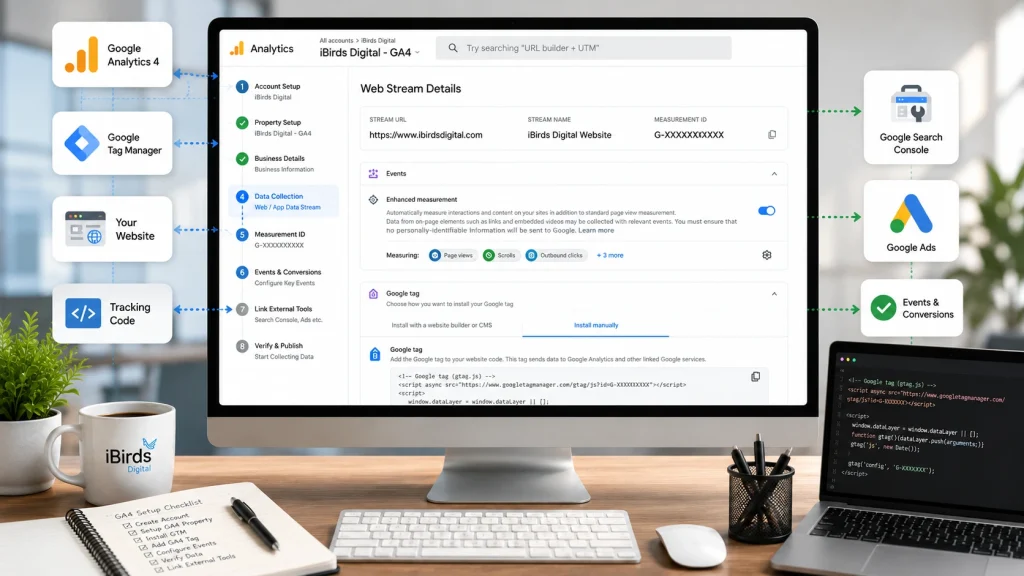
Setting up Google Analytics 4 (GA4) correctly is essential for collecting accurate website data and measuring user interactions. A properly configured GA4 property helps businesses track traffic sources, conversions, engagement, and marketing performance without missing important events. While experienced digital marketing professionals can configure GA4 with advanced tracking and reporting, you can also complete the basic setup by following these steps.
1. Create a Google Analytics 4 Property
Sign in to your Google Analytics account and create a new GA4 property for your website. Enter your business information, website URL, reporting time zone, and industry category to complete the initial setup.
2. Set Up Google Tag Manager
Create a Google Tag Manager (GTM) account if you do not already have one. Add your website as a new container and install the GTM container code inside the <head> and <body> sections of your website. Google Tag Manager makes it easier to manage tracking tags without editing your website code repeatedly.
3. Create a Google Analytics 4 Tag
Inside Google Tag Manager, create a new Google Analytics: GA4 Configuration tag (or Google Tag for GA4). Enter your Measurement ID (G-XXXXXXXXXX) from your GA4 property and configure the tag to fire on all website pages so visitor activity is tracked automatically.
4. Verify Data Collection
After publishing your GTM container, open the Realtime Report in Google Analytics to confirm that website visits, page views, and user interactions are being recorded correctly. This step helps ensure your tracking implementation is working before you begin analyzing reports.
5. Configure Events and Key Events
Set up important events such as form submissions, button clicks, file downloads, video engagement, purchases, and contact requests. Mark your most valuable events as Key Events (Conversions) so you can accurately measure business goals and campaign performance.
6. Link Google Analytics with Other Google Tools
Connect GA4 with Google Search Console, Google Ads, and Google Tag Manager to combine SEO, advertising, and website performance data in one place. These integrations provide better insights into organic traffic, paid campaigns, keyword performance, and user behavior across your website.
7. Enable Enhanced Measurement
Enable Enhanced Measurement to automatically track page views, outbound link clicks, site search, scroll activity, video engagement, and file downloads without requiring additional coding. This feature gives businesses deeper insights into visitor engagement.
8. Create Custom Reports and Audiences
Configure custom reports, audience segments, and event filters based on your business objectives. Custom reporting helps you monitor conversions, user journeys, campaign performance, and customer behavior more effectively for future marketing decisions.
A properly configured Google Analytics 4 account provides accurate data that supports SEO, paid advertising, content marketing, and conversion optimization. Businesses working with professional Social Media Marketing Services can build advanced tracking strategies that deliver meaningful insights and improve overall marketing performance.
How to Use Google Analytics 4?
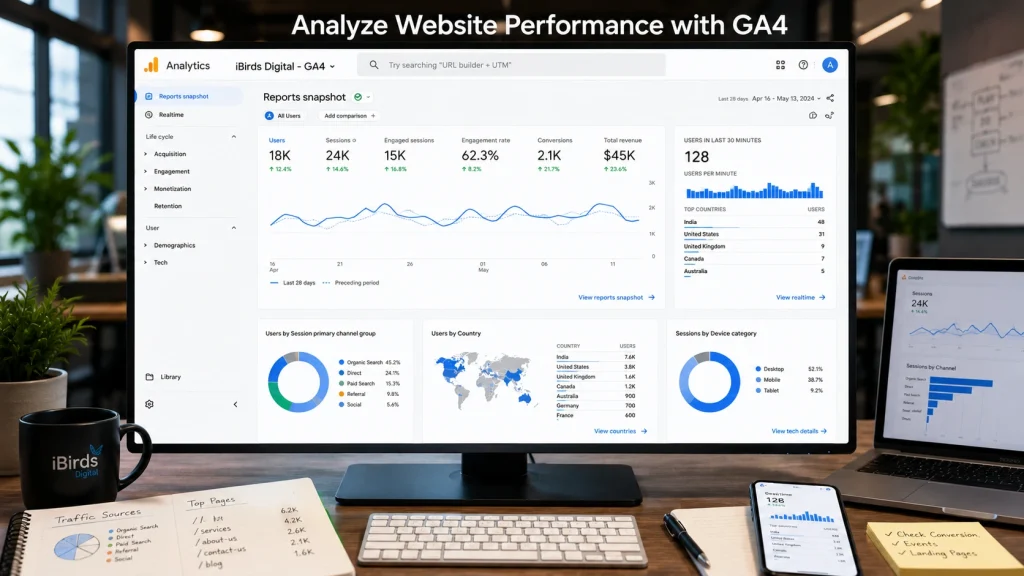
Once your Google Analytics 4 (GA4) account is properly configured and connected with tools like Google Tag Manager, Google Search Console, and Google Ads, you can begin analyzing valuable website data. GA4 helps you understand visitor behavior, evaluate marketing performance, identify growth opportunities, and make informed business decisions based on real-time and historical insights.
1. Set Up Key Events (Conversions)
Google Analytics 4 replaces traditional goals with Key Events (previously called conversions). Configure important actions such as contact form submissions, purchases, newsletter sign-ups, phone calls, and file downloads to measure whether your website is achieving its business objectives.
2. Monitor Total and Real-Time Website Traffic
Use the Realtime Report to see how visitors are interacting with your website at any given moment. You can monitor active users, viewed pages, traffic sources, device types, and user actions while also comparing them with overall traffic trends to evaluate website performance.
3. Analyze Your Traffic Sources
The Traffic Acquisition reports show exactly where your website visitors are coming from. You can compare organic search, paid search, direct traffic, referral websites, social media platforms, email campaigns, and other marketing channels to identify which sources generate the most valuable traffic and conversions. Businesses using Content Marketing Services can combine this data with content performance reports to improve traffic quality and engagement.
4. Understand Where Your Audience Comes From
GA4 provides detailed geographic reports showing the countries, cities, and regions where your visitors are located. Along with location data, you can analyze engagement time, active users, new users, and user retention across different regions to support local, national, or international marketing strategies.
5. Measure Your Top-Performing Keywords and Landing Pages
Although GA4 no longer displays all organic keywords directly, integrating Google Search Console allows you to analyze search queries, clicks, impressions, click-through rates, and landing page performance. These insights help improve SEO content, optimize existing pages, and target keywords that generate qualified traffic.
6. Track Internal Site Search
Enable Site Search Tracking to understand what visitors search for after arriving on your website. Internal search reports help identify missing content, frequently requested services, product demand, and opportunities to improve website navigation and user experience.
7. Use Insights and Custom Alerts
Google Analytics 4 includes Insights that automatically detect unusual traffic changes, conversion fluctuations, engagement drops, and other significant trends. You can also create Custom Insights to receive notifications whenever important website metrics change beyond your defined thresholds.
8. Compare Historical Website Performance
GA4 allows you to compare different date ranges to evaluate long-term performance. Comparing historical traffic, conversions, engagement, campaign performance, and user behavior helps businesses identify seasonal trends, measure marketing improvements, and make better strategic decisions based on reliable data.
By using Google Analytics 4 regularly, businesses can improve SEO performance, optimize marketing campaigns, increase conversion rates, and enhance user experience through data-driven decisions. Partnering with Conversion Rate Optimization (CRO) Services helps turn these insights into practical improvements that increase leads, sales, and overall website performance.
The Bottom Line
Google Analytics 4 (GA4) is one of the most valuable tools for understanding how users interact with your website and how your digital marketing efforts perform. From monitoring website traffic and user engagement to tracking conversions and marketing campaigns, GA4 provides the insights businesses need to make informed decisions backed by real data.
When Google Analytics is configured correctly and integrated with tools such as Google Tag Manager, Google Search Console, and Google Ads, it becomes a complete performance measurement platform. Regularly reviewing reports helps identify SEO opportunities, improve website usability, optimize conversion paths, and maximize marketing ROI.
For businesses looking to improve online visibility and generate qualified leads, combining Google Analytics insights with professional Digital Marketing Services ensures every marketing decision is based on measurable performance rather than assumptions. A data-driven strategy helps businesses improve website performance, increase organic traffic, and achieve sustainable business growth.
Frequently Asked Questions
1. What is Google Analytics 4 (GA4)?
Google Analytics 4 is Google’s latest web analytics platform that helps businesses track website traffic, user behavior, conversions, and marketing performance. It provides detailed reports that support data-driven decisions for SEO, advertising, and website optimization.
2. How do I set up Google Analytics 4 on my website?
To set up Google Analytics 4, create a GA4 property, install Google Tag Manager or the Google Tag, add your Measurement ID, verify data collection, configure key events, and connect GA4 with Google Search Console and Google Ads for advanced reporting.
3. What can I track with Google Analytics?
Google Analytics allows you to track website visitors, page views, user engagement, traffic sources, conversions, landing pages, audience demographics, devices, internal searches, ecommerce activity, and marketing campaign performance.
4. What is the difference between Google Analytics and Google Analytics 4?
Google Analytics 4 uses an event-based tracking model, while the older Universal Analytics relied mainly on sessions and pageviews. GA4 offers improved cross-device tracking, predictive insights, enhanced reporting, and better privacy-focused measurement.
5. How can Google Analytics improve SEO performance?
Google Analytics helps identify high-performing landing pages, user engagement metrics, traffic sources, and conversion paths. When combined with Google Search Console, it helps businesses optimize content, improve keyword targeting, and increase organic search traffic.
6. Can Google Analytics show where my website visitors come from?
Yes. Google Analytics provides detailed reports on visitor locations, including countries, cities, and regions. It also shows whether visitors arrive through organic search, paid ads, referrals, social media, email campaigns, or direct traffic.
7. How can I track conversions in Google Analytics 4?
You can track conversions by creating Key Events for actions such as contact form submissions, purchases, phone calls, newsletter subscriptions, downloads, or any other important user interaction that supports your business goals.
8. What are Google Analytics Insights?
Google Analytics Insights automatically identify unusual traffic patterns, engagement changes, and conversion trends. You can also create custom insights to receive alerts when specific website metrics increase or decrease beyond defined thresholds.
9. Why should businesses use Google Analytics?
Google Analytics helps businesses understand customer behavior, measure marketing performance, improve website experience, optimize SEO strategies, increase conversion rates, and make informed business decisions using accurate website data.
10. How can iBirds Digital help with Google Analytics?
iBirds Digital helps businesses set up Google Analytics 4, configure Google Tag Manager, track conversions, create custom reports, integrate Search Console and Google Ads, and analyze website performance to improve SEO, digital marketing campaigns, and lead generation.