
Getting visitors to your website is only the first step. The bigger challenge is helping those visitors take the action that matters to your business.
That action could be submitting a contact form, booking a consultation, requesting a quote, making a purchase, signing up for a service, or calling your business.
This is where conversion rate optimization, or CRO, becomes important. CRO focuses on improving a website or app so that a higher percentage of visitors complete a desired action. Optimizely
If your website receives good traffic but generates fewer leads or sales than expected, the problem may not always be traffic. Your visitors may be facing unclear messaging, weak calls-to-action, slow pages, complicated forms, poor mobile usability, or a lack of trust signals.
In this guide, we will explain 9 practical ways to improve website conversion rate, along with how to measure your results and decide what to optimize first.
What Is Website Conversion Rate?
Website conversion rate is the percentage of visitors who complete a defined conversion action.
The basic formula is:
Conversion Rate = (Number of Conversions ÷ Number of Visitors) × 100
For example, if 1,000 people visit a landing page and 40 submit a form:
40 ÷ 1,000 × 100 = 4% conversion rate
A conversion does not always mean a purchase. Depending on your business, it could be:
- Contact form submission
- Product purchase
- Quote request
- Demo booking
- Phone call
- Appointment
- Newsletter signup
- Account registration
- Download
- WhatsApp enquiry
Why Should You Improve Website Conversion Rate?
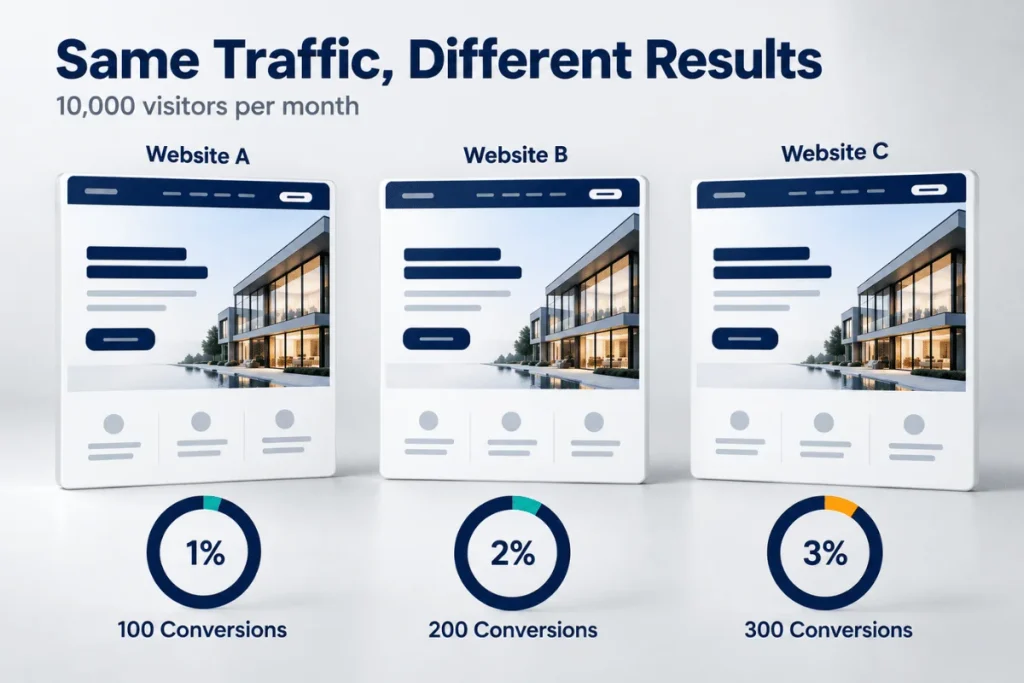
Imagine two websites each receive 10,000 visitors per month.
| Website | Conversion Rate | Conversions |
|---|---|---|
| Website A | 1% | 100 |
| Website B | 2% | 200 |
| Website C | 3% | 300 |
The traffic is exactly the same, but the number of conversions changes significantly.
This is why improving the experience for existing visitors can be important before simply trying to generate more traffic.
A CRO strategy can help businesses identify where visitors lose interest, encounter friction, or fail to understand the next step.
9 Ways to Improve Website Conversion Rate
1. Make Your Main Message Clear Immediately
Visitors should understand what your business offers without having to search through the page.
Your headline and supporting text should quickly answer three questions:
What do you offer?
Who is it for?
Why should the visitor care?
For example, instead of:
“Welcome to Our Digital World”
A clearer headline could be:
Performance-Focused Digital Marketing for Growing Businesses
The second version immediately communicates the service and its intended outcome.
Avoid unnecessary jargon and complicated marketing language.
Your visitor should not need to decode your headline before understanding your offer.
2. Create One Clear Primary CTA
A website should make the next step obvious.
If your goal is lead generation, your primary CTA could be:
- Get a Free Consultation
- Request a Quote
- Book a Demo
- Talk to an Expert
- Get Started
If your goal is ecommerce, it might be:
- Buy Now
- Add to Cart
- Shop Now
The CTA should match the visitor’s stage in the buying journey.
For example, someone reading an educational blog may not be ready to purchase immediately. A softer CTA such as Download the Guide or Explore Our Services may be more appropriate.
Tip: Do not make every button on a page compete for attention. Give the primary action stronger visual priority.
3. Improve Your Landing Page Above the Fold
The first screen visitors see can strongly influence whether they continue exploring.
Your above-the-fold section should normally contain:
- A clear headline
- Short supporting copy
- A relevant visual
- A primary CTA
- An important trust signal when appropriate
Avoid filling this area with multiple competing messages.
Mightybytes specifically identifies the homepage’s above-the-fold area as an important place for improving clarity and calls-to-action, while its recommendations also include reducing distracting elements such as unnecessary sliders. Mightybytes
For a landing page, ask:
Can someone understand the offer within a few seconds?
If the answer is no, simplify the section.
4. Reduce Friction in Forms and Checkout
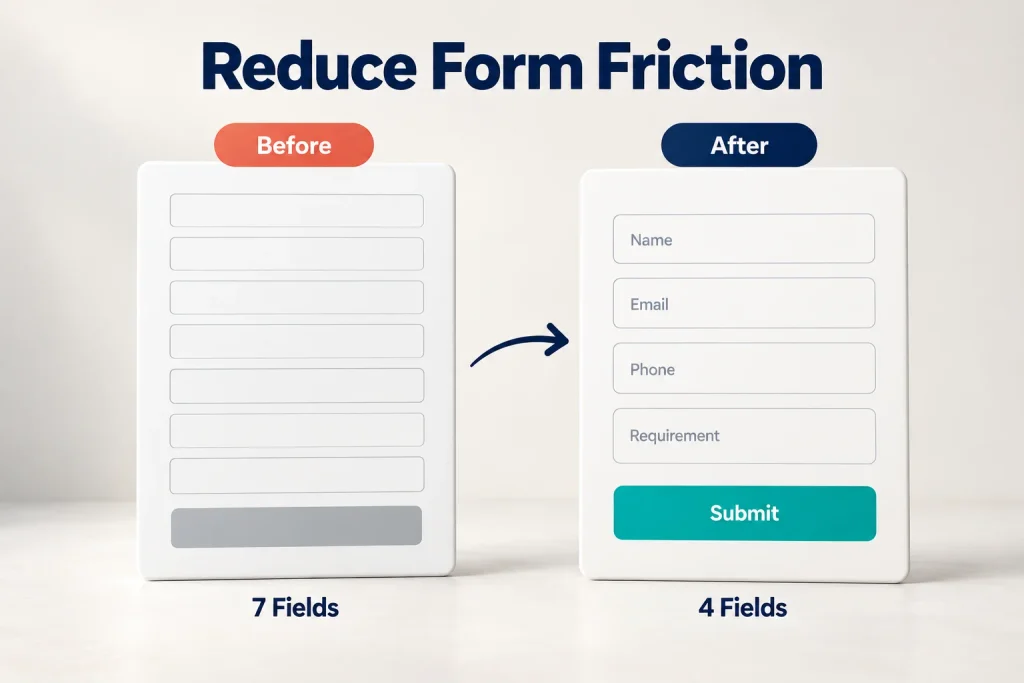
Long or complicated forms can create unnecessary friction.
For a basic lead-generation form, you may only need:
- Name
- Phone
- Business requirement
Do not automatically ask for information you do not need at that stage.
For ecommerce websites, friction can also appear during checkout. Complicated navigation, unnecessary account requirements, confusing shipping information, or too many steps can make completing an order harder.
CXL recommends making the buying process intuitive and reducing unnecessary form fields.
For example:
High friction:
Name → Email → Company → Job Title → Address → Company Size → Multiple Questions → Submit
Lower friction:
Name → Email → Requirement → Submit
The right form depends on your sales process, but the general principle is simple: ask for what you actually need.
5. Add Trust Signals Where Decisions Happen
Visitors may hesitate when they are unsure whether a business is credible.
Trust signals can help answer that concern.
Depending on your business, consider adding:
- Customer reviews
- Testimonials
- Case studies
- Certifications
- Client logos
- Secure payment information
- Clear contact details
- Return or refund information
- Privacy policies
- Guarantees, where genuinely offered
CXL highlights testimonials, case studies, third-party reviews, social proof, and demonstrations as forms of evidence that can support conversion decisions. Optimizely also lists social proof and trust-building elements among common CRO techniques. CXL
Place trust signals close to important decision points rather than hiding them on a separate page.
For example, a testimonial below a Request a Quote CTA may be more useful than placing all testimonials at the bottom of the website.
6. Improve Website Speed and Mobile Experience
A visitor cannot convert easily if the page is difficult to use.
Check:
- Page loading performance
- Mobile responsiveness
- Button sizes
- Font readability
- Image sizes
- Navigation
- Form usability
- Checkout experience
- Layout stability
Mobile visitors deserve special attention because the same page can behave differently on a smaller screen.
For example, a desktop CTA may be highly visible while the mobile version pushes that CTA far below the fold.
This is where a combination of website analytics and UX analysis can help identify problems.
You can also connect conversion improvements with your broader web development services strategy when issues come from website structure, performance, responsive design, or technical implementation.
7. Use Analytics and Heatmaps to Find Conversion Problems
Do not rely only on assumptions.
Analytics can tell you what is happening, while behavioral tools can provide additional context about how visitors interact with a page.
For example, Google Analytics 4 can help you measure traffic, engagement, conversion events, traffic sources, and conversion paths. iBirds Digital’s existing GA4 guide explains how GA4 can be used to analyze visitor behavior and track conversion actions. iBirds Digital
How to Use Google Analytics 4 to Improve Website Performance
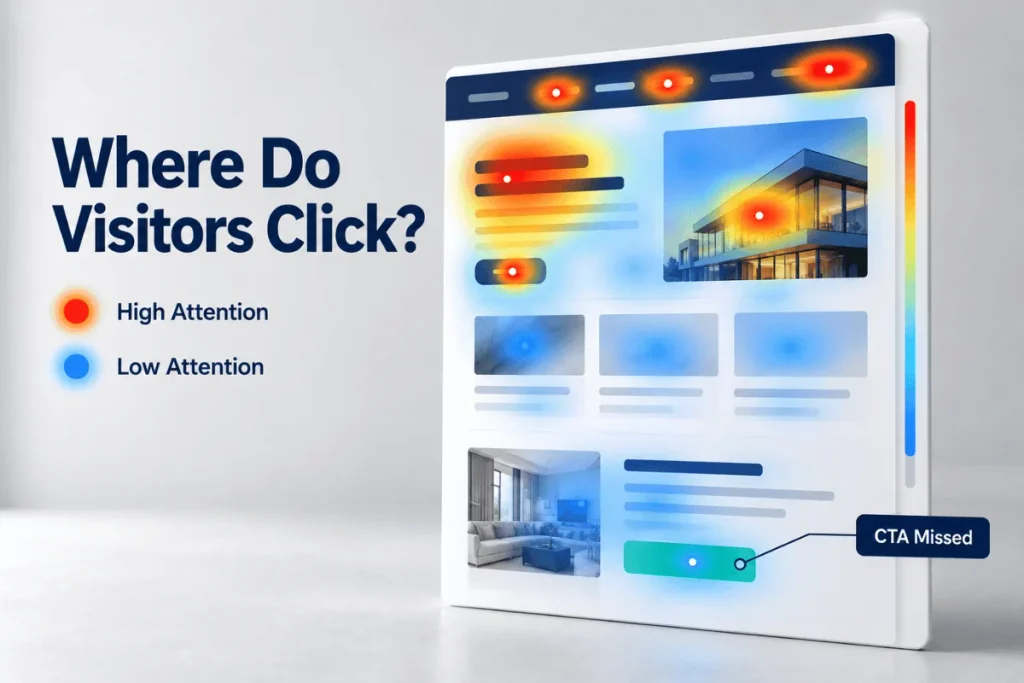
Heatmaps can add another layer of information by showing patterns such as clicks, scrolling, and areas receiving interaction. Our recent guide explains how to create and analyze website heatmaps. iBirds Digital
For example, you may discover:
- Visitors are clicking an element that is not clickable.
- Users are not reaching the main CTA.
- Mobile users stop scrolling earlier.
- A secondary element receives more attention than the main offer.
- Important content is being ignored.
These observations can help you create better CRO hypotheses.
8. Test Changes Instead of Guessing
One of the biggest CRO mistakes is assuming that a design change will automatically increase conversions.
Instead, test important changes when your traffic and measurement setup support meaningful experimentation.
You can test:
- Headline
- CTA wording
- CTA placement
- Form length
- Page layout
- Pricing presentation
- Product images
- Supporting copy
- Trust signals
- Landing-page structure
A/B testing compares versions of a page or element against a defined metric. Optimizely describes split testing as a controlled experiment designed to improve a specific website metric. Optimely
CXL also emphasizes using data to decide what to test rather than randomly changing page elements. CXL
The important point is that testing is about learning, not simply changing colors until something looks better.
Optimizely notes that only a minority of experiments produce a winning result, which is another reason CRO should be treated as an evidence-based learning process rather than a collection of guaranteed tricks. Optimizely
9. Connect Conversion Optimization With the Full Marketing Funnel
Conversion rate should not be analyzed in isolation.
A visitor may arrive through:
SEO → Landing Page → Service Page → Contact Form → Sales Team → Customer
Or:
Google Ads → Product Page → Cart → Checkout → Purchase
A problem at any stage can affect the final result.
For example, if paid advertising sends visitors to a page that does not clearly communicate the offer, increasing ad spend may simply send more visitors into the same conversion problem.
This is why CRO should work together with SEO, PPC, content, website development, analytics, and customer follow-up.
For ecommerce websites, iBirds Digital’s existing ecommerce guide also connects CRO with product pages, CTAs, reviews, navigation, mobile optimization, page speed, and checkout improvements. iBirds Digital
Website Conversion Rate Optimization Checklist
Before making changes, review the following:
| Area | What to Check |
|---|---|
| Goal | Is the primary conversion clearly defined? |
| Headline | Does it explain the offer quickly? |
| CTA | Is the next action obvious? |
| UX | Is navigation simple? |
| Forms | Are unnecessary fields removed? |
| Trust | Are reviews, proof, or credentials visible? |
| Speed | Does the page load efficiently? |
| Mobile | Is the experience easy on smaller screens? |
| Analytics | Are important conversion events tracked? |
| Heatmaps | Do you understand where users interact? |
| Testing | Are important changes validated with data? |
Example: Improving a Service Page
Imagine a digital marketing service page receives 5,000 visitors per month but generates only 50 enquiries.
That means:
50 ÷ 5,000 × 100 = 1% conversion rate
Instead of immediately trying to double traffic, the business could investigate the existing conversion path.
Step 1: Review analytics
Check:
- Traffic sources
- Landing pages
- Engagement
- Conversion events
- Device performance
Step 2: Review the heatmap
Look for:
- CTA interaction
- Scroll depth
- Unexpected clicks
- Important sections receiving little attention
Step 3: Review the page
The business may discover that:
- The headline is vague.
- The CTA appears too late.
- The enquiry form asks too many questions.
- Testimonials are difficult to find.
- The mobile CTA is poorly positioned.
Step 4: Create a hypothesis
For example:
“Making the primary CTA clearer and reducing the form from seven fields to four will make it easier for qualified visitors to enquire.”
Step 5: Test and measure
Track the change against the defined conversion goal.
The important lesson is that the improvement process starts with evidence, not random design changes.
How to Prioritize CRO Improvements
You do not need to change everything at once.
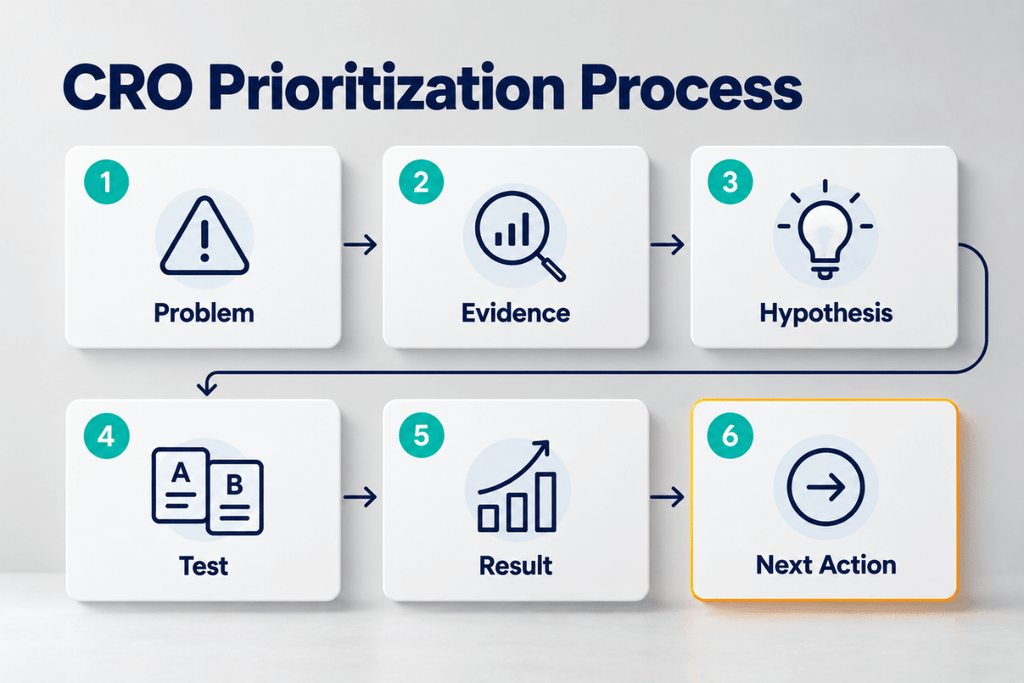
A practical prioritization framework is:
Problem → Evidence → Hypothesis → Test → Result → Next Action
For example:
Problem: Few visitors reach the enquiry form.
Evidence: Heatmap shows most users stop scrolling before the form.
Hypothesis: Important information and CTA should appear earlier.
Test: Move the CTA and key value proposition higher on the page.
Result: Compare the conversion metric against the defined test conditions.
Next Action: Continue, revise, or test another hypothesis based on the evidence.
This approach is more reliable than changing ten elements at once because you have a clearer connection between the change and the result.
Common Website Conversion Mistakes to Avoid
Changing Design Without Data
A visually attractive page is not automatically a high-converting page.
Use analytics, user behavior, feedback, and testing to support important decisions.
Focusing Only on Button Color
CTA color can matter for visibility, but conversion problems are often much broader.
Messaging, offer clarity, trust, usability, page structure, and friction can all influence the visitor’s decision.
Optimizing Only for More Conversions
More conversions are not always the same as better business results.
OuterBox emphasizes measuring conversion quality as well as conversion volume because a page can generate more submissions while producing lower-quality leads or less valuable customers. OuterBox Design
For lead generation, consider tracking:
- Qualified leads
- Sales acceptance
- Appointments
- Closed deals
- Revenue
For ecommerce, consider:
- Revenue
- Average order value
- Repeat purchases
- Gross margin
- Customer lifetime value
Ignoring Mobile Visitors
Always compare desktop and mobile performance where sufficient data is available.
A page that works well on desktop may still have problems on mobile.
Making Too Many Changes at Once
If you change the headline, CTA, form, layout, pricing, images, and navigation simultaneously, it becomes difficult to know what caused the result.
Prioritize the most important problem first.
When Should You Improve Your Website Conversion Rate?
CRO can be useful when:
- Your website receives traffic but generates few leads.
- Your ecommerce store gets visitors but few purchases.
- Landing pages have high traffic but low conversions.
- Visitors abandon forms.
- Mobile conversion is much lower than desktop.
- Paid campaigns generate clicks but few enquiries.
- Users interact with the wrong page elements.
- You recently redesigned your website.
- You have enough data to identify meaningful patterns.
- Your business wants to improve results without relying only on additional traffic.
CRO is not necessarily a one-time project. Wingify’s current CRO guidance emphasizes continuous optimization, while OuterBox similarly frames conversion improvement around finding and fixing specific points where qualified visitors stop progressing. Wingify
Frequently Asked Questions
1. How can I improve my website conversion rate?
Start by defining your main conversion goal and measuring the current conversion rate. Then review messaging, CTAs, UX, forms, trust signals, page speed, mobile experience, and visitor behavior. Use analytics and testing to identify which improvements actually affect conversions.
2. What is a good website conversion rate?
There is no single conversion rate that is good for every website. Conversion rates vary by industry, business model, traffic source, offer, audience, device, and conversion definition. It is usually more useful to establish your current baseline and improve performance based on your own qualified traffic and business goals.
3. How can I improve conversion rate without increasing traffic?
Focus on improving the experience for visitors you already have. Clearer messaging, stronger CTAs, simpler forms, better trust signals, faster pages, improved mobile UX, and better landing-page structure can all be investigated as CRO opportunities.
4. Does website speed affect conversion rate?
Website speed can affect the user experience because slow or unstable pages can make it harder for visitors to continue through a conversion journey. Check performance alongside other factors such as mobile usability, page structure, content clarity, and form usability rather than treating speed as the only CRO factor.
5. How do heatmaps help improve conversions?
Heatmaps show aggregated patterns of interaction such as clicks, scrolling, and attention. They can help identify whether visitors interact with important CTAs, reach key sections, or click elements unexpectedly. Heatmaps are most useful when combined with analytics and other user-behavior data. iBirds Digital
6. Should I use A/B testing for conversion optimization?
A/B testing can be useful when you have a clear hypothesis, a defined conversion metric, and enough suitable traffic or data for the test to provide meaningful information. Test important changes rather than making random modifications. The goal should be to learn which experience better supports the defined business outcome. Optimizely
7. How often should I optimize my website?
There is no fixed schedule that works for every website. Review performance regularly, identify meaningful problems, prioritize improvements, and test changes when appropriate. CRO works best as a continuous process of measurement, learning, and refinement rather than a single redesign project.
Final Takeaway
To improve website conversion rate, you do not necessarily need a completely new website.
Start with the fundamentals:
Clear message → Strong CTA → Better UX → Less friction → Trust → Speed → Analytics → Testing
The most important step is to understand why visitors are not converting before changing the page.
Use analytics to understand performance, heatmaps to investigate behavior, user feedback to understand problems, and controlled testing to validate important changes.
CRO is therefore less about finding one magic trick and more about building a repeatable process for improving the visitor journey.
When your website, SEO, paid campaigns, content, analytics, and conversion strategy work together, the goal is not simply to generate more visitors. It is to make the existing traffic more useful to the business.